![neurotone-primary-logo-CMYK-1.jpg]](https://support.neurotone.com/hs-fs/hubfs/neurotone-primary-logo-CMYK-1.jpg?height=40&name=neurotone-primary-logo-CMYK-1.jpg)
Overview
Lace Pro and Tinnitus Pro support multiple languages and regional variants. This update ensures that our global users experience the app in their native language, spanning everything from the user interface (UI) to dynamic content feeds and Avatar videos.
Language preferences can be configured at the clinic/provider level (Pro Portal), or directly by the patient (Mobile App).
Supported Languages
In our initial rollout, Lace supports the following languages and regional variants:
English Variants:
- English (US, Australia, British)
Fully Supported International Languages:
- Spanish (Spain, Mexico)
- French (France, Canada)
- Portuguese (Brazil)
- Chinese (Mandarin)
- German
- Italian
- Polish
- Dutch
- Swedish
Note: Regional variants (e.g., Mexican Spanish vs. Spain Spanish) will share common UI text where appropriate, but audio voiceovers, pronunciation, and subtitles are explicitly tailored to the chosen regional locale.
How to Configure Language Settings
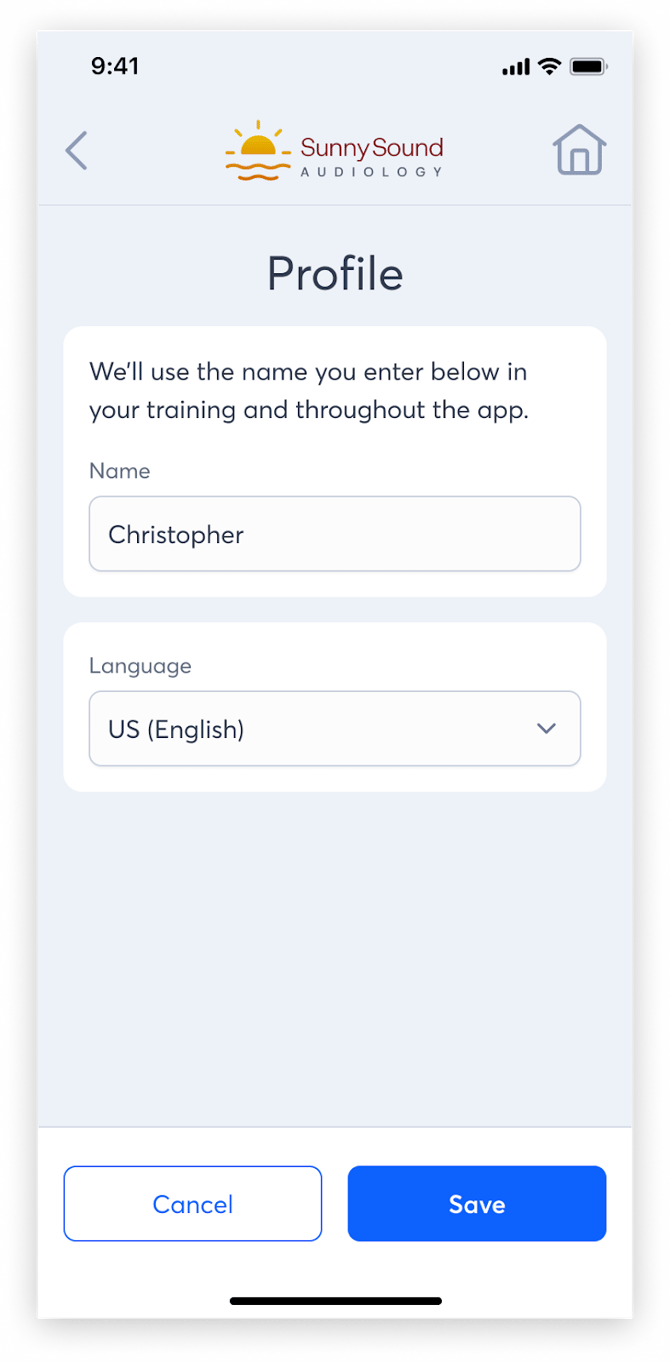
Language settings cascade from the top down but can be overridden at the patient level.
1. For Clinicians & Providers (Pro Portal)
- What you can do: Set a default language for a specific clinic or an individual patient during onboarding.
- Where to find it:
- Provider Level: Go to Team Member Settings > Language
- Patient Level: When adding a new patient (or editing an existing one), select their preferred language from the dropdown.
2. For Patients (Mobile App)
- What you can do: Patients can change their language preference at any time.
- Where to find it: Open the Mobile App > Go to Settings > Language > Select the preferred language. The app UI and subsequent content feeds will refresh immediately.
What Changes When a Language is Updated?
When a user’s language is changed, the following areas of the Lace platform are localized:
- Mobile and Web App UI: All buttons, navigation menus, and static text will translate to the selected language.
- Avatar Videos: The training and instructional Avatar videos will feature newly recorded voiceovers and matching subtitles specific to the language and regional accent.
- Content Feeds: Dynamic daily content (articles, tips) will be served in the selected language.
- Voice Cloning Invitations: The web flow and messaging sent to familiar voices (friends/family) for voice cloning will be localized, ensuring a smooth experience for the patient's network.
Translation Feedback
Because our support for multiple languages is continually evolving, we've introduced a lightweight, native tool for users to report translation errors or suggest improvements directly within the app.
Here is how the feedback loop works:
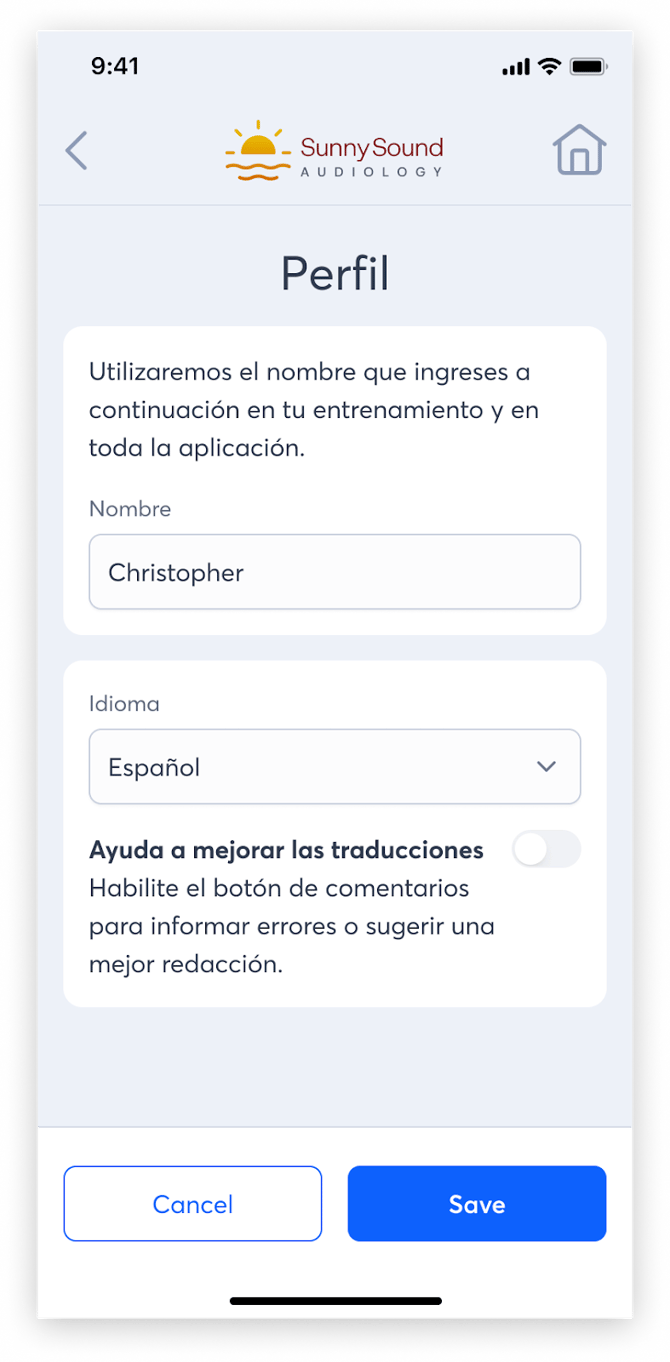
- Opting In: When a patient switches to a new language, they will be prompted with an opt-in modal asking if they'd like to help improve our translations.
- Enabling/Disabling the Widget: Patients can change their mind at any time. Navigating to Settings > Language allows them to toggle the feedback widget on or off.
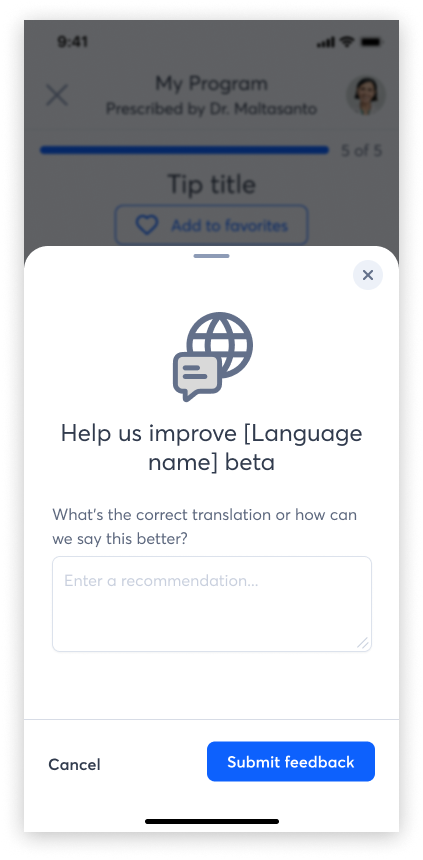
- Submitting a Correction: While opted in, an omnipresent but subtle button (e.g., a floating action button or global nav icon) will appear on their screen. Tapping this opens a simple, clean feedback form.
- Smart Context Tracking: The patient only needs to type their suggested translation or correction into the text area. The app automatically captures their active language and the exact screen/page they are currently viewing, ensuring our engineering team knows exactly where to apply the fix without requiring the user to explain it.
Frequently Asked Questions & Troubleshooting
Q: A patient changed their language, but the UI text is cut off or overlapping. A: Because word lengths vary drastically between languages (e.g., German words are typically longer than English), you may occasionally see text overflow. Please take a screenshot and report this to the Product/Engineering team so we can adjust the UI padding.
Q: The UI is in Spanish, but the Avatar sounds like it has a different regional accent. A: Verify which specific variant is selected in the patient's settings. "Spanish (Spain)" and "Spanish (Mexico)" utilize different audio profiles and subtitle tracks.
Q: How does this affect Voice Cloning? A: The invitation process is localized. However, the system's ability to accurately clone a voice and apply it to an accent depends on the underlying voice engine. If a familiar voice records their sample in English but the patient's app is in German, the synthesized voice will speak German using the tonal qualities of the familiar voice.
Q: Is right-to-left (RTL) text supported? A: Not in this initial rollout. Currently, we are focusing on left-to-right (LTR) scripts, including Chinese (Mandarin).