![neurotone-primary-logo-CMYK-1.jpg]](https://support.neurotone.com/hs-fs/hubfs/neurotone-primary-logo-CMYK-1.jpg?height=40&name=neurotone-primary-logo-CMYK-1.jpg)
Open My progress
- Open Tinnitus Pro.
- Tap Progress in the navigation (screen title: My progress).
What you’ll see
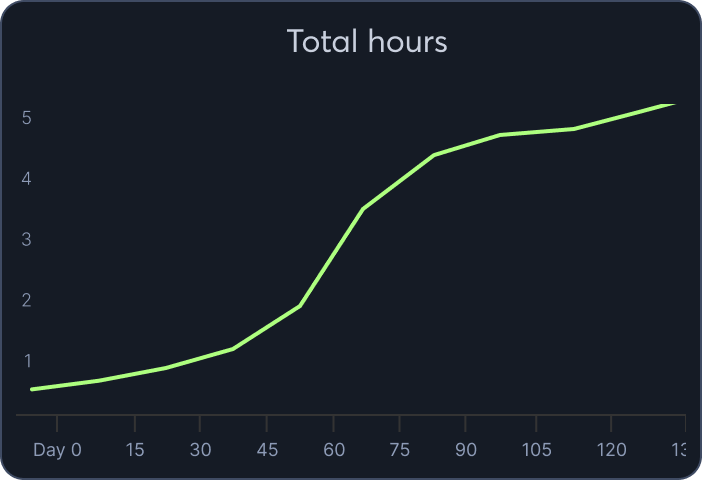
Tinnitus sessions (chart)
- A line chart showing your total hours over time.
Time by activity (cards)
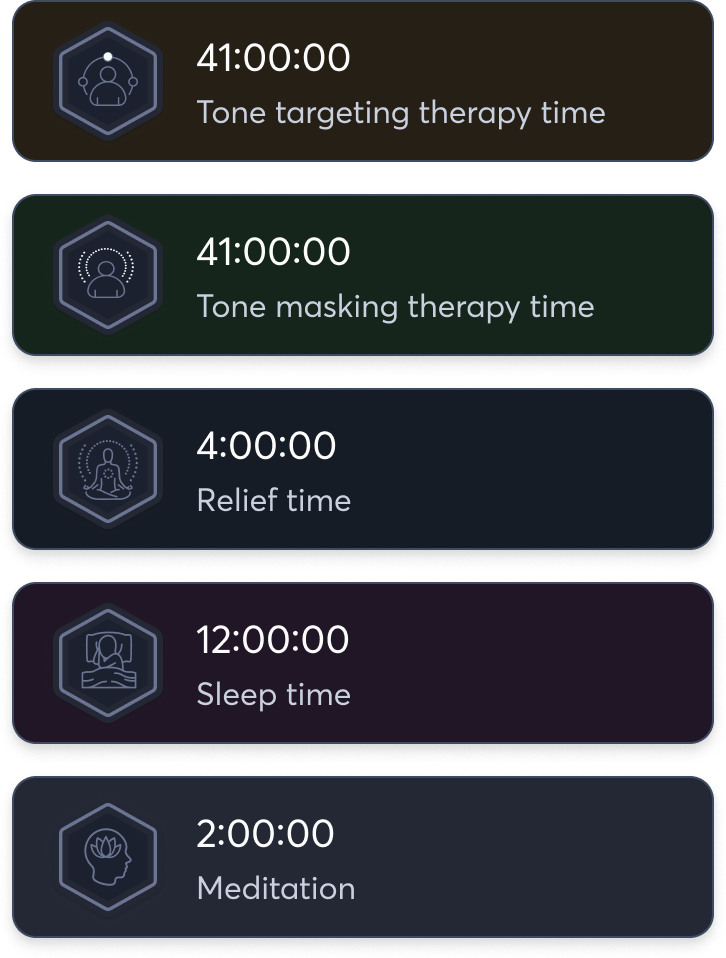
- Minutes or hours spent in each area:
- Adaptationing (tone adaptationing therapy time)
- Habituation (tone habituation therapy time)
- Relief
- Sleep (tracked for reference; designed for bedtime)
- Meditation
- Adaptationing (tone adaptationing therapy time)
Tinnitus check-in score
- Your most recent score out of 20 with a clear label (for example, Mild, Moderate).
- A Check in now button to take the 5-question survey anytime.
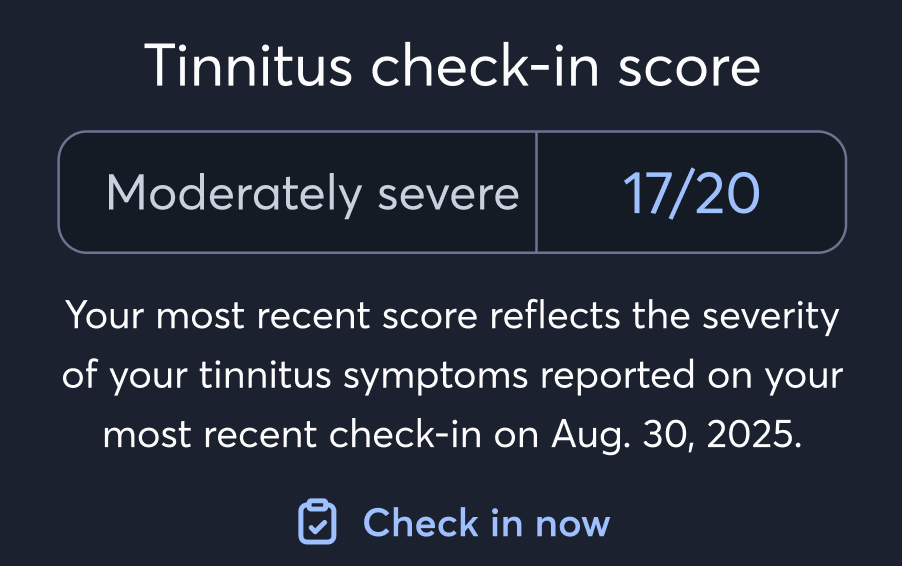
Tip: Lower scores mean tinnitus is impacting you less.
How to use this page
- Aim to increase therapy minutes (Adaptationing, Habituation, Relief) day by day.
- Take your check-in every 4 weeks when prompted—or tap Check in now to do it sooner.
- Look for your line chart to trend upward (more therapy time) and your check-in score to trend downward (less impact).
If nothing appears
- You may be new to the app. Complete a few therapy sessions and a check-in, then return to My progress.
Need help?
Email support@neurotone.com and we’ll assist you.